See it work
The interactive piece from the front page, with room to try it, followed by Aviate, Navigate, Communicate’s logo, colors and type.
Fly a freighter by typing. Then teach it to fly itself.
There are no stick and rudder controls. You fly by typing commands, and later by writing Flightline programs that run while you watch.
flight C207 target heading 085 deg
flight C207 target altitude 15000 ft
flight C207 target speed 250 kt
flight C207 system radio 1 tune 118.25 mhz
flight C207 system gear down
flight C207 system flaps 15 deg
flight C207 override throttle 65 pct
flight C207 autopilot resume
flight C207 inspect
command Q1 status
From docs/flight/typed-controls.md. Every control on the aircraft is a typed command, and every command waits for the aircraft to acknowledge it.
let plane = aircraft('C207')
let action = flight.heading(plane, 100 deg)
await received(action).accepted within 8 s
notify('Heading acknowledged')
From docs/flight/scripting-school.md. A Flightline program sends a command, then waits for the acknowledgment to actually arrive before it carries on.
script school
script lesson sequence
script practice sequence
script new firststeps sequence
script line 2 wait(3 s)
script check
script deploy
script practice check
From docs/flight/scripting-school.md. The terminal teaches Flightline in chapters, with practice you deploy against real aircraft in the simulation.
Assets
Logo, colors, and type.
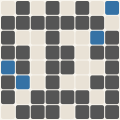
Mark
The project’s generated logo mark. The grid gets finer with the commit count, and the cells show the split between languages. It’s redrawn as the project grows.
Palette
The colors Aviate, Navigate, Communicate uses across this site: one hue from its discipline’s band, plus the shades that make it work on both dark and light backgrounds.
Type
The two typefaces on the site: a sans-serif for the interface and a serif for headlines.
Next
Get Aviate, Navigate, Communicate
Ask about availability, a build for your platform, or a license.