$ docwalk gallery
See it work
The interactive piece from the front page, with room to try it, followed by docwalk’s logo, colors and type.
Change the app, then replay the tour.
An agent recorded this three-step tour by driving a small sample page. In CI, docwalk test replays it: it finds each element again, takes a new screenshot and compares it with the one in the tutorial. Pick a change to the page and watch the replay.
Tasks
A sample application for docwalk’s example web tour.
- Read the documentation
- Write the tutorial
2 tasks, 1 done
tours/add-a-task 3 steps · threshold 0.0
-
01-find-the-fieldFind the field tier 1pass -
02-type-the-taskType the task tier 1pass -
03-add-it-to-the-listAdd it to the list tier 1pass
$ docwalk test --junit junit.xml
add-a-task                  3 pass, 0 drift, 0 fail
exit 0
docwalk test’s format. The replay itself is an illustration that runs in your
browser. With the zero threshold docwalk recommends for headless capture, any visible change counts as drift.Assets
Logo, colors, and type.
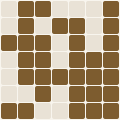
Mark
The project’s generated logo mark. The grid gets finer with the commit count, and the cells show the split between languages. It’s redrawn as the project grows.
Palette
The colors docwalk uses across this site: one hue from its discipline’s band, plus the shades that make it work on both dark and light backgrounds.
Type
The two typefaces on the site: a sans-serif for the interface and a serif for headlines.
Next
Put docwalk in your pipeline
Ask about hooking it up to the repositories and agents you already run.